 Sudharsan Ananth

The best content curation tool depends on where your work gets stuck. If you need to gather articles from many sources, start with a feed reader such as Feedly or Inoreader. If you save articles across formats and want to annotate them, Readwise Reader is a better fit. If the result must be a public collection or newsletter draft, look at Scoop.it or elink.
Those are different jobs. A reading queue helps you find and assess material. It does not automatically become a finished newsletter, and a page builder does not necessarily offer the source monitoring you need. This comparison focuses on the handoffs between collection, editorial review, and publication so you can choose one tool or a small combination that matches your workflow.
Disclosure: Sparkable builds Sparkfeed. We include it because it handles source collection and research, but this is a documentation-based comparison, not a hands-on test of all seven products. We reviewed official feature and pricing pages on October 29, 2026. Product capabilities below are vendor-reported; fit assessments are editorial judgments. We did not measure time savings or test authenticated competitor accounts.
Separate the work before choosing a tool
A curation workflow has at least three stages. First, sources produce material and a reader or bookmarking tool collects it. Next, an editor checks the original source, relevance, date, context, and any duplicate coverage. Finally, someone turns selected links into a publication, page, email, or internal brief. One product can cover several stages, but the boundaries still matter.
For a weekly issue, the editorial stage includes more than saving a link. Open the original article. Confirm that its headline reflects the body, that its date and author are clear, and that the source supports the point you plan to make. Add your own context so readers understand why it belongs. A tool can organize this work, but it cannot make those editorial decisions for you.
The comparison table describes the documented center of gravity for each tool. “Publication” means the product can create or export a page or email asset; it does not always mean the vendor sends the finished campaign to subscribers.
| Tool | Strongest fit | Review and organization | Publication handoff | A limit to consider |
|---|---|---|---|---|
| Sparkfeed | RSS and Atom source collection and research | Folders, Favorites, shared workspaces, Spark AI | Keep the shortlist in your research workspace and move selected links to a separate publishing tool | No documented newsletter sending or scheduled digest |
| Feedly News Reader | Reading known publications and newsletters together | Personal Boards, notes, highlights, search | Board sharing options vary by plan; use a separate newsletter service when needed | Team and private sharing features are plan-dependent |
| Inoreader | Feed monitoring and filtering | Folders, tags, rules, filters, summaries | Pro can expose selected folders or tags as feeds or HTML clips | More controls mean more setup; paid limits apply |
| Readwise Reader | Reading and annotating many formats | Highlights, notes, tags, filtered views | Export highlights and saved reading to a separate knowledge or publishing workflow | It is a reading library, not a newsletter editor |
| Raindrop.io | Saving and rediscovering web links | Collections, tags, highlights, search | Share or embed a collection page | Bookmark management is not source monitoring or newsletter production |
| Scoop.it | Topic-based public curation and distribution | Topic pages and curated publications | Higher plans add newsletter creation and sending | Sending and collaboration are gated by plan |
| elink | Turning saved links into designed pages or email assets | Bookmarks, RSS reader, folders, team collaboration | Export an HTML newsletter for a third-party email service | Verify the export and email-provider handoff your workflow needs |
Seven content curation tools, by job
1. Sparkfeed for a source collection you control
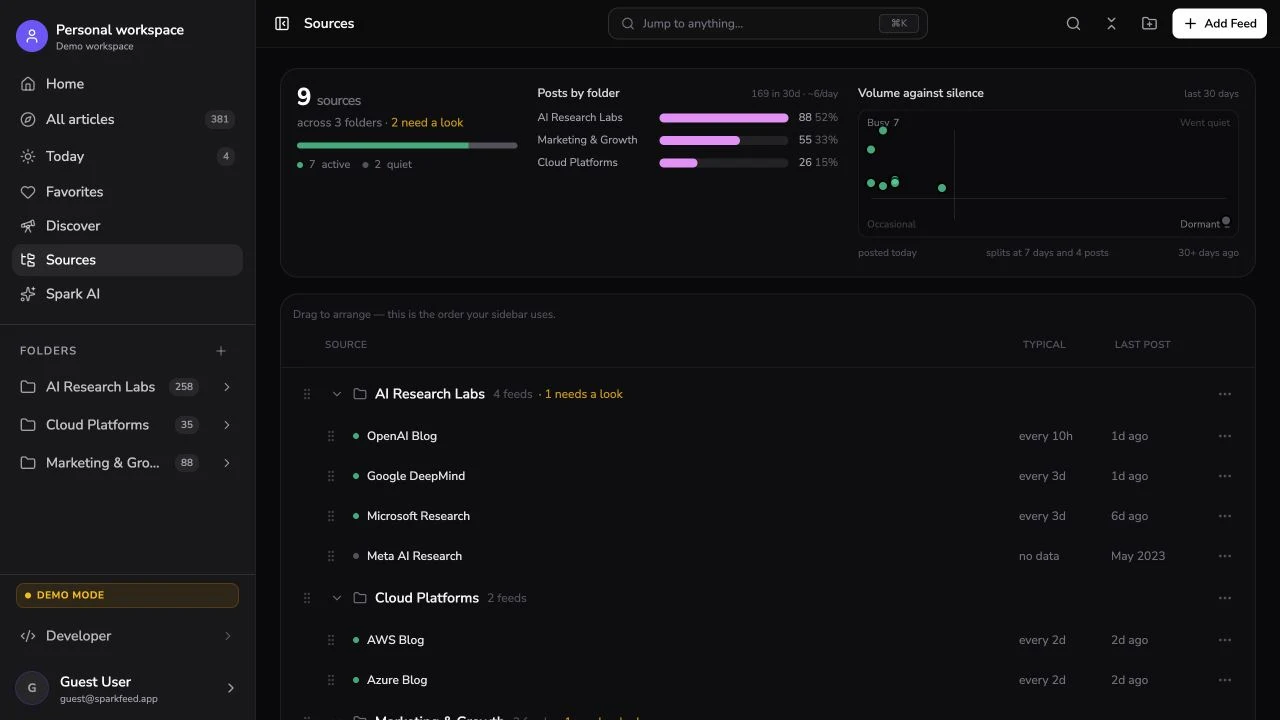
Sparkfeed combines RSS and Atom reading with source folders, Favorites, shared workspaces, and Spark AI. Community Edition can be self-hosted, while the hosted service provides another way to use the product. REST and MCP access let connected tools work with workspace sources and articles. Its public demo shows how source activity and folder-based reading work.
That makes Sparkfeed useful upstream: maintain a source set, scan new material, and collect candidates for a brief or newsletter. It does not replace a newsletter platform. The product documentation does not describe newsletter sending, scheduled digests, social publishing, or direct Slack and webhook delivery. If you self-host, you configure and maintain the instance, including backups and AI-provider choices. This is a research and collection role, not an all-in-one marketing promise.
2. Feedly News Reader for following publications
Feedly’s News Reader brings news sites, blogs, industry publications, newsletters, and Google News feeds into one reading interface. Its personal Boards collect articles for later, with notes and highlighted passages, and its search helps find material across followed sources. This is a natural choice when your source list is already clear and the daily job is reading and triage.
Feedly documents additional sharing options, but the details matter. Public sharing of a personal Board is available on Pro and above; logged-out visitors see the last 20 articles. The help page describes team collaboration and private RSS for Enterprise, plus newsletter and third-party sharing options. Check your plan before designing a workflow around any of those features. This article covers the News Reader product, not Feedly’s separate Threat Intelligence offering.
3. Inoreader for rules and monitoring
Inoreader combines feed reading with monitoring feeds, filters, rules, and tags. Rules can match article attributes and then tag, save, notify, summarize, or route items through supported actions. That can reduce repetitive sorting when you have a steady stream of items and clear selection rules. Its output feeds and HTML clips can expose chosen folders, tags, or saved articles to another reader or a website.
As of October 29, 2026, the pricing page showed 150 RSS subscriptions on Free and 2,500 on Pro. Pro was listed at $7.50 per month billed annually or $9.99 month-to-month, and included 30 rules. Output feeds and HTML clips are Pro features. These limits and prices can change. Before subscribing, check the current page for the exact allowance attached to monitoring, translation, and other features you need. See Inoreader’s pricing and plan limits. Inoreader gives you more ways to automate a collection, but it also asks you to configure and maintain those rules.
4. Readwise Reader for annotation across formats
Readwise Reader is designed around reading and annotation. Its documentation lists articles, RSS feeds, email newsletters, PDFs, EPUBs, videos, and other saved material in one library. You can highlight and annotate, then review those notes in the linked Readwise Highlights library. That makes it a strong fit for a writer who needs to return to passages and connect ideas across formats.
Reader is not an issue-planning or newsletter-sending product. A team may still need a separate shared editorial queue and publishing tool. The vendor’s current public FAQ lists a 30-day trial, followed by $9.99 per month billed annually or $12.99 month-to-month for Readwise with Reader. Pricing is checked as displayed, not tested at checkout; confirm regional billing and plan details on the Reader page.
5. Raindrop.io for saving and finding links later
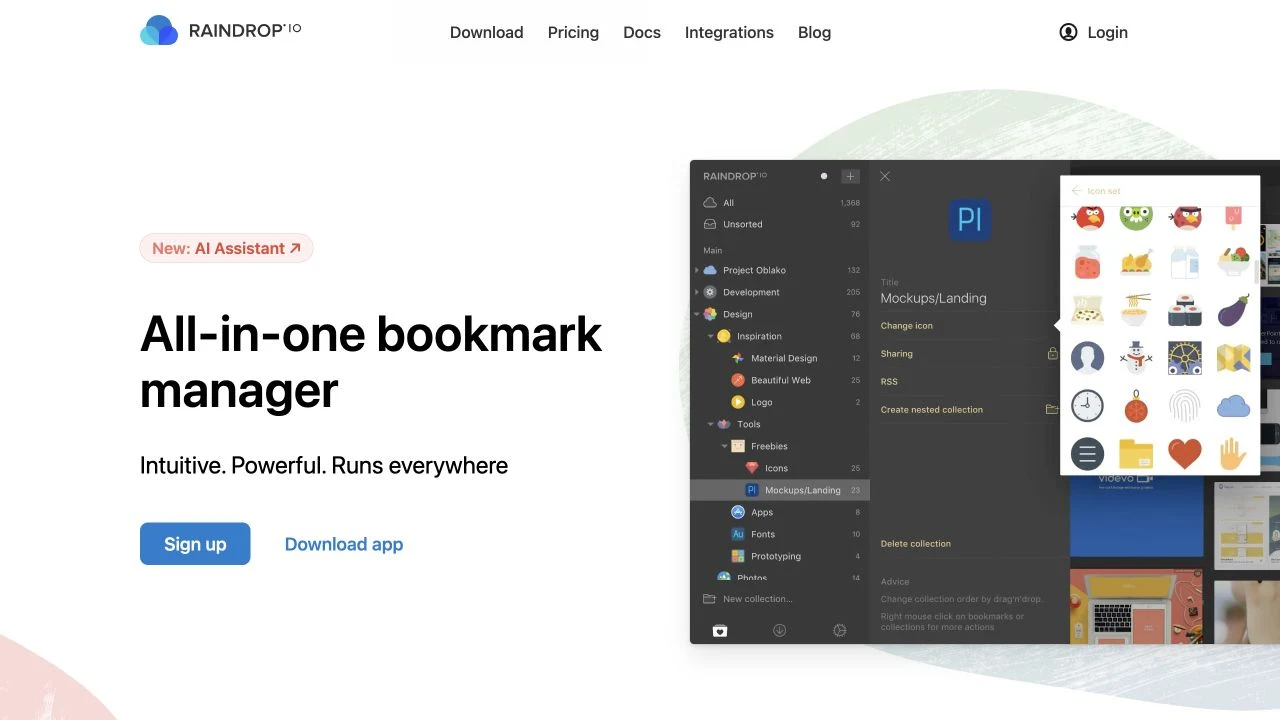
Raindrop.io is a bookmark manager. Collections and tags help group saved links, and the documentation covers highlights, search, public pages, embedding, and sharing with members. Pro adds full-text search, permanent copies of saved pages, daily backups, annotations, reminders, and tools for finding duplicate or broken links, according to its product page.
Choose it when the hard part is keeping web references organized and recoverable. It is less suited to monitoring a stream of sources or building a newsletter issue from an editorial queue. The vendor says its free tier supports unlimited bookmarks and collections across devices. We have not quoted a current Pro price because we did not verify the precise price display for this comparison.
6. Scoop.it for topic pages and newsletter distribution
Scoop.it centers on topics and curated publications. Its pricing page distinguishes a free plan with one publication page, Pro with public indexing and social sharing, and Plus with newsletter creation, scheduling, and website integration. The page listed Plus email delivery for up to 100 recipients. Enterprise adds private, collaborative curation, white-label options, advanced integrations, automation, and Slack or Microsoft Teams sharing.
This is closer to a publication workflow than a conventional RSS reader. It may suit a small organization that wants both a topic page and a modest newsletter from its curation. The catch is plan gating: the features that make it a team distribution tool are on higher tiers. On October 29, the vendor listed Pro at $14.99 monthly when billed yearly or $17.99 month-to-month; Plus at $119 monthly billed yearly or $139 month-to-month. Check Scoop.it’s current plans before purchase.

7. elink for turning bookmarks into shareable pages
elink combines bookmarking and an RSS reader with tools for creating visual link pages and newsletter assets. Its site describes responsive templates, publishing or embedding pages, and sharing newsletters through a third-party email service provider. The pricing page lists team collaboration and HTML email newsletter export on Pro; its Auto Pilot plan adds content and newsletter automation.
That makes elink worth considering when presentation and the export handoff matter more than deep feed monitoring. Its product page says the newsletter can be sent through another provider, so confirm that your email service accepts the generated HTML and that the export preserves the layout you want. The pricing page offers monthly, annual, and two-year billing options. Select your billing term before comparing the displayed rate. Pro and Auto Pilot have different automation capabilities, so compare the required features as well as the price on elink’s plan page.
Choose by your actual handoff
An individual writer who mostly reads and highlights can start with Readwise Reader. If the writer mainly saves web links for later, Raindrop.io may be simpler. Both can help maintain a personal reference library, but neither should be mistaken for a newsletter campaign manager.
A small research team that needs to watch sources and filter incoming articles can compare Feedly News Reader with Inoreader. Feedly keeps a reading-first workflow approachable; Inoreader exposes more monitoring and rule-based controls. If private sharing, team Boards, output feeds, or automation are essential, verify the current plan and limits first. For self-hosted source collection and shared research, consider Sparkfeed, while budgeting for someone to operate the instance.
A publisher who needs a public curated page or newsletter asset should inspect Scoop.it and elink. Scoop.it’s Plus page documents newsletter sending with a 100-recipient cap. elink describes an HTML newsletter export for a third-party email provider. Their distribution paths are not interchangeable, so test the final audience workflow, template, and review steps before committing.
You can also combine tools. For example, collect from feeds in Sparkfeed or Inoreader, review a shortlist in a shared document, then prepare the issue in your existing email service. Keep the handoff explicit: who verifies the original article, who writes the commentary, and who approves the final issue? A two-tool setup is often easier to understand than trying to make one product own every stage.
If you are designing a repeatable issue process, use the newsletter curation workflow for the editorial sequence. The guide to finding article ideas from sources you follow covers the step before selection. For source monitoring and privacy tradeoffs, see Feedly alternatives and their limitations. If your main need is managing research across a team, the comparison of market intelligence tools for B2B teams covers a different, broader category. You can also explore Sparkfeed for source collection, then pair it with the publishing service you already use.
What AI summaries can and cannot do
Some tools in this comparison offer summaries, tagging, or content filtering. These features can help you scan a large collection, but they do not confirm whether a claim is accurate, whether a source is independent, or whether an article deserves space in your issue. Open the original source before you quote it or make a claim based on it. Check whether the article updates or corrects an earlier version, and record the context you want readers to understand.
If you use an AI summary in your own workflow, treat it as a navigation aid. Read the relevant passages yourself and preserve the source link. For Sparkfeed, the documentation describes using an AI key controlled by the operator; that does not mean every third-party AI provider handles data in the same way. Review the configuration and the provider terms for the setup you choose.
Sources and further reading
Product features and plan details were checked on October 29, 2026. The comparison uses vendor documentation and public pricing pages; we did not test logged-in competitor accounts.
- Sparkfeed documentation and What is Sparkfeed?
- Feedly News Reader and How can I share a Board?
- Inoreader pricing, Rules, and Output feeds and HTML clips
- Readwise Reader documentation, Reader pricing, and FAQ
- Raindrop.io Pro and Raindrop.io documentation
- Scoop.it pricing
- elink and elink pricing
Frequently asked questions
01What is a content curation tool?
It helps you collect, organize, review, or present material from sources you follow. Some products focus on reading and saving; others create shareable collections or newsletter assets. Check which stage the product supports before choosing it.
02Which content curation tools are free?
Sparkfeed Community Edition is open source and can be self-hosted. Feedly, Inoreader, Raindrop.io, Scoop.it, and elink list free plans with varying limits; Readwise Reader offers a free trial rather than a permanent free plan, according to its current public pricing information. Check the vendors’ current pages because features included in free tiers change.
03Which tools can publish a newsletter?
Scoop.it’s Plus plan documents newsletter creation and sending, with a listed maximum of 100 recipients. elink exports newsletter HTML for use with third-party email services. Feedly’s documentation describes automated newsletters from Boards on eligible products. In each case, verify the plan, audience limit, and whether the product sends the campaign or hands it to another service.
04Is a feed reader enough to curate a newsletter?
It can collect articles and help you build a shortlist. You still need an editorial process to check sources, remove duplicates, write context, and prepare the issue in a newsletter platform. Tools such as Scoop.it and elink offer a closer publication handoff, but the exact steps differ.
05Can AI summaries replace reading the original article?
No. A summary can help you decide what to inspect, but it can omit context or misstate a detail. Read the original source before quoting it or relying on it in a newsletter, and check its date and corrections.
06What should I test before subscribing?
Run a small issue through the whole workflow: add representative sources, collect a few relevant articles, share the shortlist with the intended reviewers, then export or publish one test page or email draft. Confirm that the handoff works with your actual email provider and plan. This article did not conduct those product tests, so treat them as your own acceptance check.