



The best Feedly alternative depends on what you want to change. Choose Inoreader for the closest power-user replacement, Feedbin for a calm paid reader, FreshRSS for a mature self-hosted system, Sparkfeed for website monitoring and shared source workspaces, Miniflux for a lean reader, NewsBlur for training and social features, or The Old Reader for a Google Reader-style experience.
Privacy is not a yes-or-no label here. A hosted reader must store your subscriptions and usually your read state to sync devices. A self-hosted reader keeps that data on infrastructure you choose, but you become responsible for patches, backups, logs, and any AI or email providers you connect. This comparison makes those tradeoffs visible instead of calling every option “private.”
Disclosure: Sparkfeed is our product. We include it because it belongs in this comparison, but we apply the same checks and list its current limitations. We do not receive referral fees from any product in this article.
How we compared these Feedly alternatives
We reviewed official product pages, documentation, pricing, privacy policies, and public source repositories between July 25 and August 31, 2026. For the September 17 update, we rechecked Sparkfeed’s launched hosted offer, application source, and public demo, plus Feedbin pricing, Inoreader features, and Feedly’s export documentation. The other vendor comparisons retain their dated August research. Public demos and product pages supplied the screenshots below.
We compared each reader on six questions:
- Is it hosted, self-hosted, or available both ways?
- Is the source public under a recognized open-source license?
- Can you import and export subscriptions with OPML?
- What data does the hosted service say it stores or measures?
- Which feature makes the reader meaningfully different from Feedly?
- What will frustrate the person it is not built for?
Unless a section gives a newer date, prices are the U.S. dollar amounts checked on August 31, 2026. Taxes, local currency, add-ons, and later price changes can alter the amount at checkout. We did not create paid accounts or test every mobile client, retention limit, or enterprise control.
Feedly alternatives at a glance
Hosting, license, and portability
| Reader | Hosting and license | OPML portability |
|---|---|---|
| Inoreader | Hosted, proprietary | Import/export; automatic backups on Pro |
| Feedbin | Hosted, with MIT source that is difficult to self-host | Import/export |
| FreshRSS | Self-hosted, AGPL-3.0 | Import/export |
| Sparkfeed | Self-hosted Community or launched hosted service, AGPL-3.0 | Bulk URL input works; OPML is not yet verified in app source |
| Miniflux | Self-hosted or official host, Apache-2.0 | Import/export |
| NewsBlur | Hosted or self-hosted, MIT | Import/export |
| The Old Reader | Hosted, proprietary | Import/export |
Best fit and privacy limit
| Reader | Best for | Main privacy tradeoff |
|---|---|---|
| Inoreader | Power users and research teams | The provider processes account and reading activity |
| Feedbin | People who want a paid, ad-free reader | The host stores feeds, read state, and integration tokens |
| FreshRSS | Experienced self-hosters and households | Privacy depends on the operator’s security and extensions |
| Sparkfeed | Website monitoring and shared source workspaces | Hosting and AI-provider data flows; OPML remains unverified |
| Miniflux | Minimalists who want low overhead | Fewer collaboration and curation features |
| NewsBlur | Trainable filters and native apps | Usage data plus optional public sharing features |
| The Old Reader | Classic Google Reader social reading | Likes, followers, and shared items can be public |
If your only question is which readers minimize data collection, see our separate guide to the best private RSS readers. If your real question is whether you want to run the server, use the self-hosted feed reader checklist. This article stays focused on replacing Feedly.
Why switch from Feedly?
Feedly remains a capable hosted reader. It has a free News Reader, paid personal plans, mobile apps, boards, search, AI feeds, and separate Market Intelligence and Threat Intelligence products. Staying is reasonable if the workflow already fits.
Switching makes sense when one of these boundaries matters more:
- You want to self-host. Feedly is a hosted, proprietary service. FreshRSS, Sparkfeed, Miniflux, NewsBlur, and the Feedbin source give you varying levels of deployment control.
- You want a smaller data footprint. Feedly’s privacy policy says it shares personal information with service providers, uses aggregated or de-identified information to improve the service, and does not respond to browser Do Not Track signals. These are common SaaS practices, but they are different from running your own instance.
- You need a clearer exit. Feedly supports OPML export, but the export covers public RSS subscriptions. It excludes Boards, Read Later items, Feedly AI Feeds, and Reddit feeds.
- You need a different information workflow. Some readers are better at rules, newsletters, website-change monitoring, shared workspaces, or plain chronological reading.
- You are pricing a team. Compare the correct product. Feedly Market Intelligence publishes a starting price of $1,600 per month billed annually, while a three-member Inoreader Team publishes a much smaller $44.99 monthly option. They do not provide the same scope, service, or intelligence features.
1. Inoreader
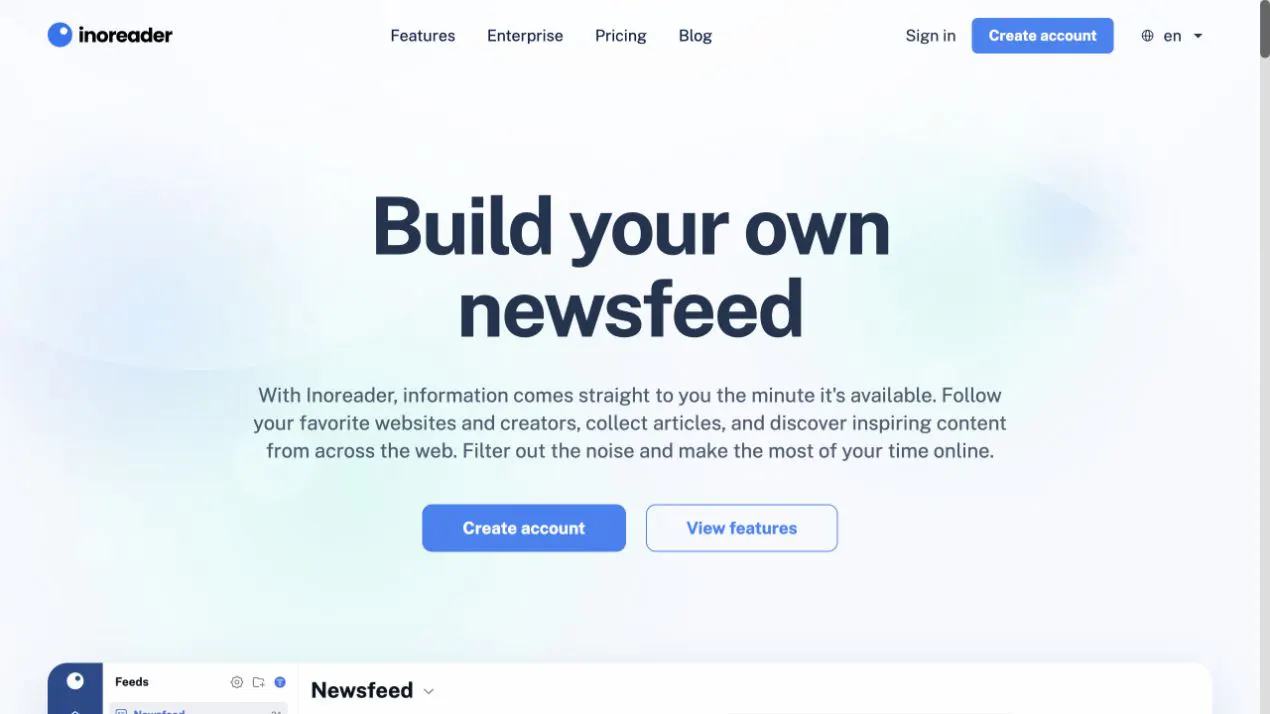
Inoreader is the closest direct Feedly replacement for people who rely on rules, search, newsletters, monitoring feeds, and team workflows. It feels like a reader that kept growing into a research tool without abandoning RSS.
The free plan supports 150 RSS subscriptions. The Pro plan supports 2,500, adds rules, web feeds for sites without RSS, full-content extraction, offline reading, and integrations. Official pricing listed Pro at $7.50 per month when billed annually or $9.99 monthly on August 31, 2026. Team plans add shared folders, channels, tags, annotations, comments, dashboards, digests, Slack and Microsoft Teams integrations, and optional Intelligence features.
Inoreader is proprietary and hosted. Its privacy policy describes account, automatic, public, and integration data, plus retention and third-party processing. Pro also includes a secure image proxy and automatic OPML backups. That is a useful privacy measure because loading images directly from a publisher can expose your IP address and browser request to that publisher.
It supports OPML import and export. The more important limitation is that OPML only moves subscription URLs and folder structure. It does not reproduce all rules, saved searches, annotations, or team channels in another reader.
Best for: a Feedly power user, analyst, or small research team that wants a hosted service with more automation.
Important limitation: it changes the feature set more than the trust model. Inoreader still operates the service and sees the data required to sync and process your account.
2. Feedbin
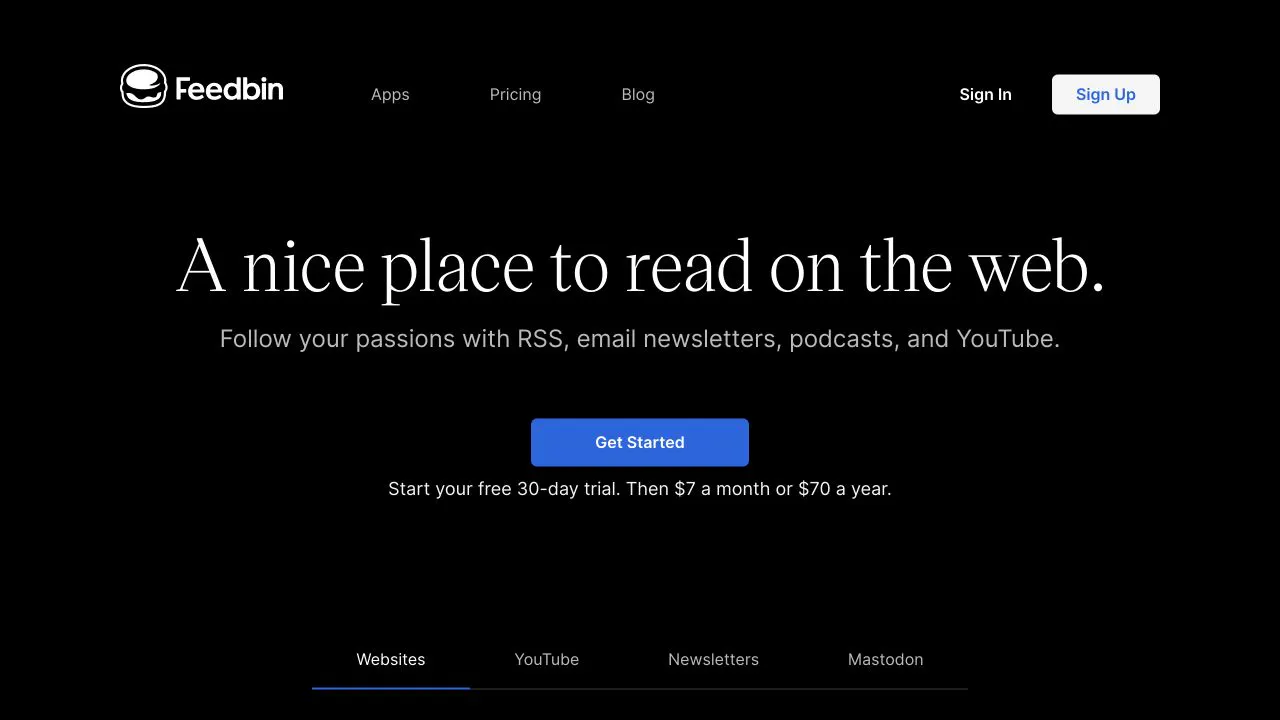
Feedbin is the best fit when you want to pay for a focused reader instead of paying with attention. It handles RSS, email newsletters, podcasts, YouTube channels, full-text extraction, saved searches, and actions that can star, mark, or notify on matching articles.
There is one plan. Feedbin pricing was $7 per month or $70 per year when rechecked on September 17, 2026, with a 30-day trial and no credit card required. There are no ads or paid feature tiers.
Feedbin’s web application is open source under the MIT license. That does not automatically make it a practical self-hosted alternative. The project’s own README says the production stack has many moving parts and explicitly recommends other readers if self-hosting is the goal. Treat the public source as auditability and portability, not a one-command deployment promise.
The hosted service has one of the clearest privacy statements in this group. Feedbin says it uses no ads or tracking scripts, uses first-party cookies for authentication and sessions, and stores the feed, read, starred, account, and integration data needed to run the service. Optional sharing services require stored authentication tokens. Billing goes directly to Stripe.
Feedbin can import OPML from Settings, and the same Import/Export area provides the way back out. It also has a documented REST-style API and broad third-party app support.
Best for: an individual who wants a maintained, ad-free hosted reader with newsletters and excellent client compatibility.
Important limitation: Feedbin is intentionally personal. It is not the obvious choice for team workspaces, enterprise administration, or easy self-hosting.
3. FreshRSS
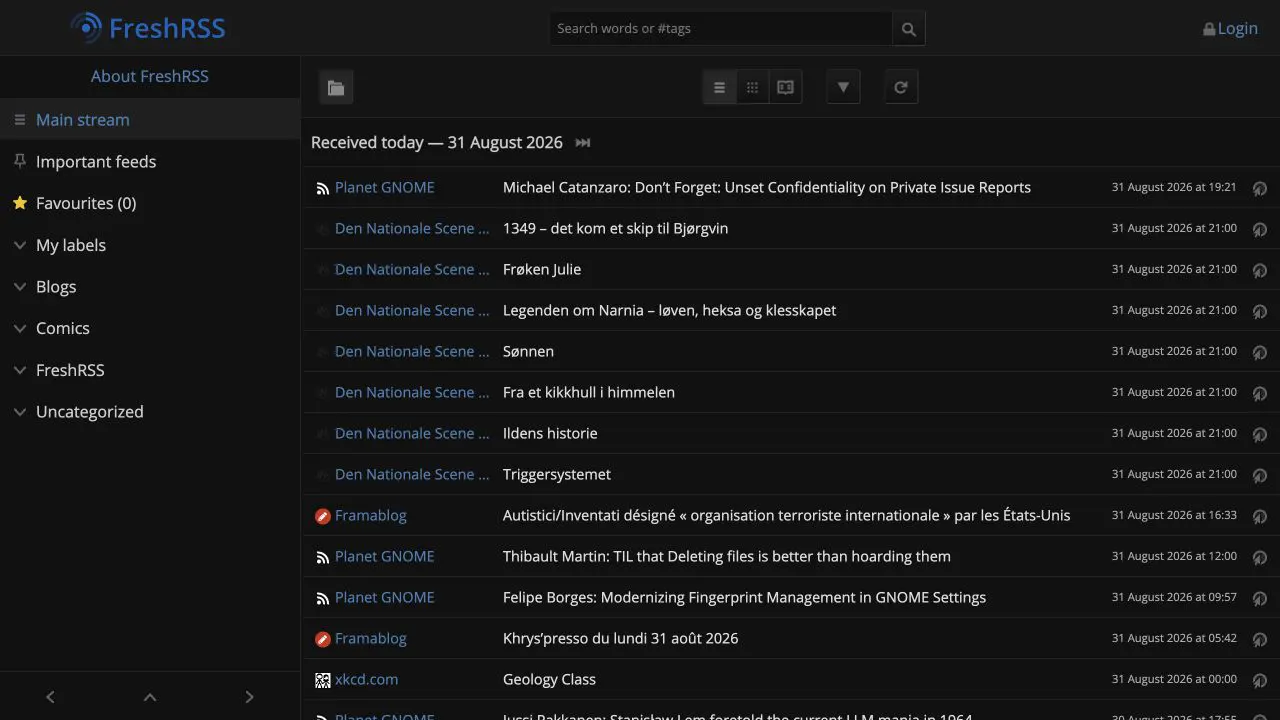
FreshRSS is the safest default for an experienced self-hoster who wants a mature, flexible reader. It supports RSS and Atom, multiple users, search, filters, statistics, themes, extensions, mobile clients through Google Reader and Fever-compatible APIs, and several database options.
FreshRSS is free software under AGPL-3.0. It runs on a PHP web stack with PostgreSQL, SQLite, MariaDB, or MySQL. The official documentation says its requirements are modest, but you still need to patch the application, secure the web server, back up the database, and protect its writable data directory.
OPML import and export are first-class features. FreshRSS also extends OPML with its own attributes for advanced sources. Its HTML and XPath source type can monitor pages without RSS, but you must define and maintain the extraction rules. That is powerful when you know XPath. It is not the same as pasting any page and expecting automatic discovery.
FreshRSS does not need a vendor account because you operate it. That reduces exposure to a reader company, but it does not make the system invisible. Your server still fetches feeds, extensions can call outside services, and a poor reverse-proxy or authentication setup can leak data. The official access-control guide warns operators not to expose a shared instance without securing trusted proxy sources.
Best for: self-hosters, families, and small groups that want a proven multi-user reader with extensions and client APIs.
Important limitation: no official hosted plan and no managed support layer. Page scraping is configurable rather than automatic.
4. Sparkfeed
Sparkfeed is for people who want one workspace for RSS, websites without feeds, source health, sharing, and AI-assisted research. We built it, so the useful comparison is not whether we like it. The useful comparison is where it is genuinely different and where it is still young.
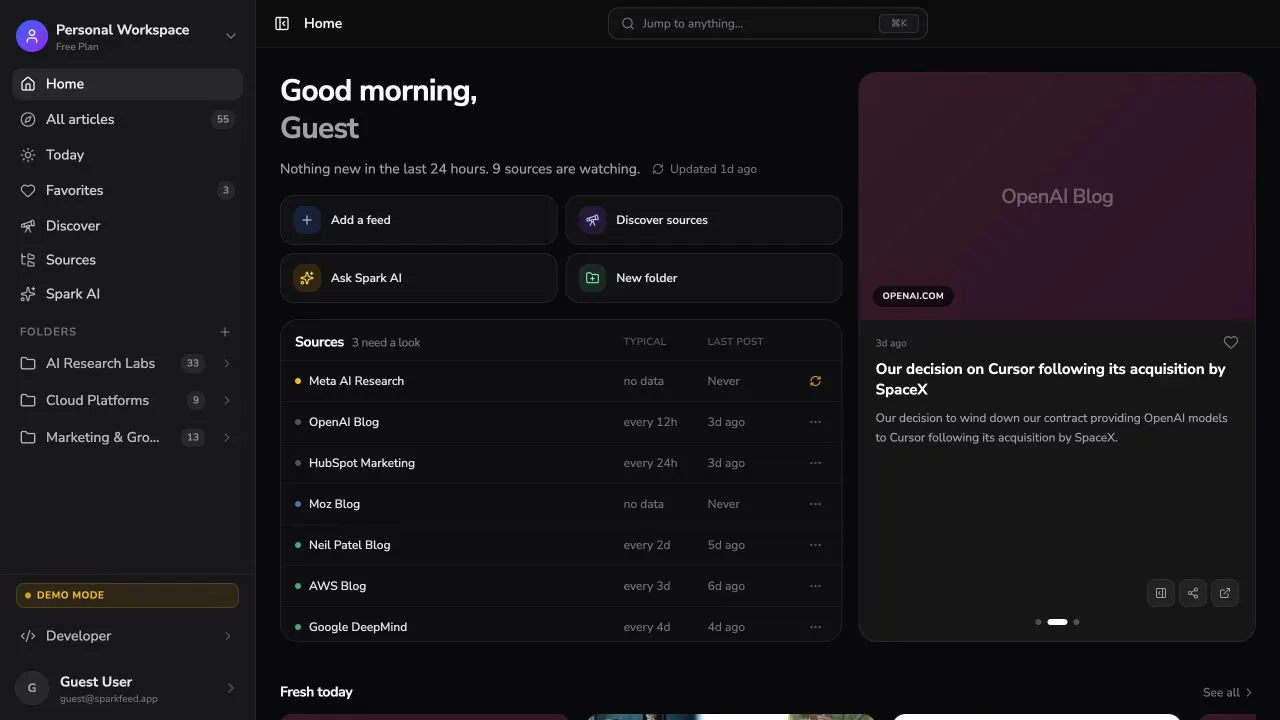
Sparkfeed follows RSS and Atom, detects feeds from a website, and can turn supported listing pages into watched sources. The reader includes Home, Today, All articles, Favorites, search, full-text reading, folders, shared workspaces, invitations, public feed or folder links, REST, MCP, and Spark AI. The hosted service is now available at app.sparkfeed.dev. You can start without running a server. Hosted plans and the self-hosted Community edition have different allowances and operating responsibilities.
The full product is open source under AGPL-3.0. It is not open-core. Community Edition includes the end-user features, supports up to 10 registered people, and runs with PostgreSQL. Sparkable sells managed hosting, operations, AI credits, support, and dedicated deployments rather than reserving product features for a proprietary edition. The self-hosting documentation covers the supported deployment path.
The privacy model needs a precise explanation. A self-hosted instance sends no telemetry to Sparkable, according to the Sparkfeed privacy policy. The operator chooses the server, logs, email service, and AI provider. In Community Edition, the operator configures the AI provider. Hosted Cloud uses managed AI credits, so readers do not need to supply their own provider key. Messages and recent article metadata can go to the configured provider, and Sparkfeed stores chat history. Read the Spark AI data flow before enabling it.
There is also an unresolved portability limitation. The current documentation and landing page say OPML import and export are available, but our source review found bulk URL input rather than an OPML parser or export endpoint. Until the app and docs agree, do not choose Sparkfeed on the assumption that OPML migration is complete. You can read our OPML format and migration guide, but treat Sparkfeed’s own OPML support as pending verification.
Best for: individuals and small teams that need RSS plus supported no-RSS page monitoring, source health, shared research spaces, REST, or MCP.
Important limitation: OPML migration remains unverified. Community requires operating your own infrastructure and supports up to 10 registered people. Hosted Free and Personal+ are personal workspaces; Pro provides a shared team workspace. Sparkfeed is broader than a minimalist reader and will feel like too much product if you only want a chronological list.
5. Miniflux
Miniflux is the strongest choice when you want a reader to stay small, fast, and predictable. It is a Go application backed by PostgreSQL, distributed as a single static binary with official packages and container images.
The project is open source under Apache-2.0. It supports RSS, Atom, and JSON Feed, categories, bookmarks, full-text search, scraper and rewrite rules, webhooks, a REST API, Google Reader and Fever-compatible clients, and OPML import and export.
You can self-host it for the cost of your server or use the official managed service. Miniflux Hosting cost $15 per year on August 31, 2026, with a 15-day trial. The hosted service says it does not use analytics, track usage, sell feeds, or renew subscriptions automatically. Its main server is in Finland, while feed-retrieval proxies may operate in the United States and Germany.
Self-hosting still requires PostgreSQL, upgrades, backups, and a secure reverse proxy. The compact binary reduces application overhead, not operational responsibility. Miniflux also provides media-proxy controls that can stop publishers from seeing a reader’s direct image requests.
Best for: technical readers who value speed, keyboard use, APIs, and a deliberately limited interface.
Important limitation: collaboration, shared research, rich annotation, and broad content-intelligence workflows are outside its main design. Minimalism is the feature and the constraint.
6. NewsBlur
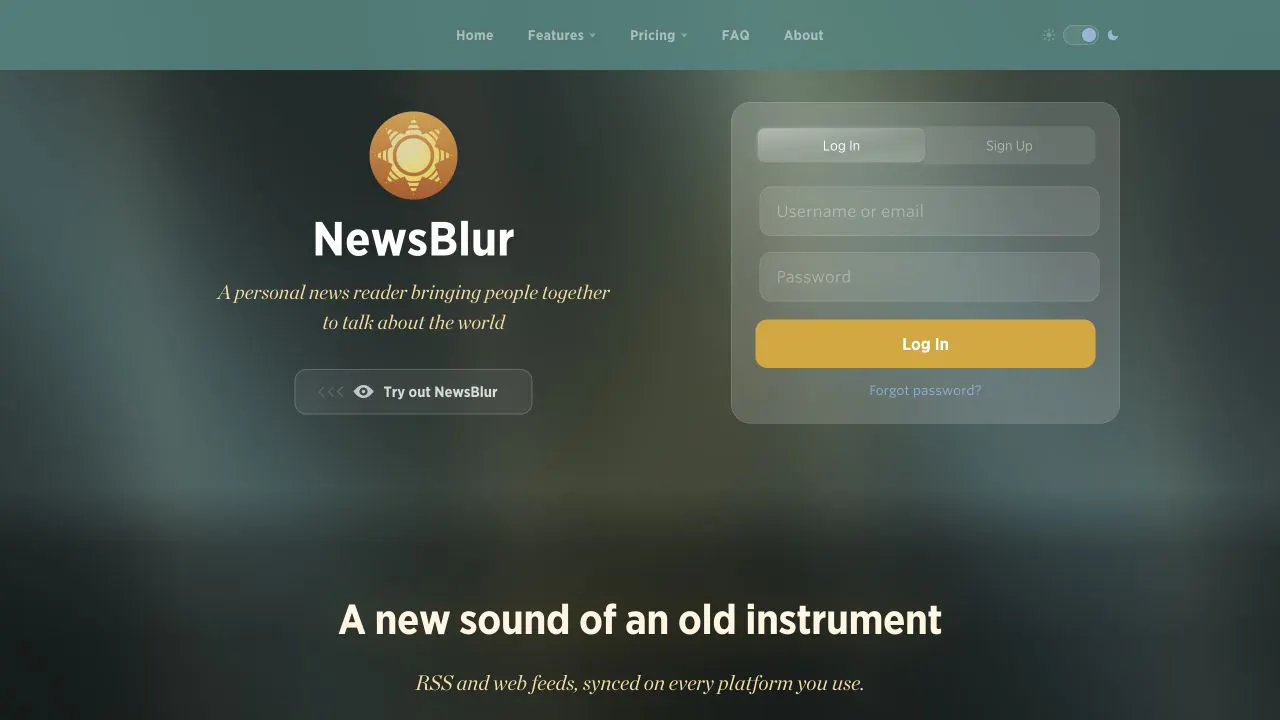
NewsBlur is the most interesting option for readers who want to train what rises or fades without handing control to an opaque recommendation feed. Its intelligence training uses signals you choose about authors, tags, titles, and text. It also has web, iOS, Android, third-party apps, public or private blurblogs, full-text views, saved searches, notifications, and newer AI features on higher plans.
NewsBlur is open source under the MIT license. You can self-host it, but the complete stack is more involved than Miniflux or a small FreshRSS install. Most people will use the hosted service.
The NewsBlur FAQ listed a free tier for 64 sites, Premium at $36 per year, Premium Archive at $99 per year, and Premium Pro at $29 per month on August 31, 2026. It supports OPML import and export, including folders.
The privacy policy says the hosted service stores read-story state, notification tokens when enabled, IP and device information, anonymous training statistics, aggregate feature usage, and crash reports. It says it does not sell personal information. Images can load directly from source sites, which means those publishers may receive your request. Self-hosting changes who operates the reader but not every request it makes.
NewsBlur’s social layer also deserves attention. Blurblogs and story sharing can be public or private. That is a reason to choose NewsBlur if reading is collaborative, and a setting to check if your threat model assumes every saved or shared item stays private.
Best for: readers who want native apps, trainable filtering, a hosted free tier, and optional social reading.
Important limitation: the product has more concepts and controls than a minimalist reader, and self-hosting is an advanced deployment.
7. The Old Reader
The Old Reader is for people who miss the simple, social shape of Google Reader. You subscribe to feeds, organize folders, read chronologically, follow other users, and comment on or share stories. It has a Google Reader-compatible API and works with several third-party clients.
The service is hosted and proprietary. The free tier supports up to 100 subscriptions. The current signup page advertises a 14-day Premium trial, no ads, up to 500 feeds, full-text search, faster refresh, one year of post storage, Instapaper integration, and early access. It did not publish a current price on the public signup page we could verify, so check the checkout before relying on older prices quoted elsewhere.
You can import an OPML file with its folder structure and export subscriptions through the documented Google Reader-compatible API. As with every reader, OPML does not carry likes, comments, saved articles, or the social graph.
Privacy and social behavior are tightly connected here. The privacy policy says shared items, followers, people you follow, and the names attached to likes can be public. It also describes Google contact access for finding other users, although the current sign-in page offers direct email and password login and says Facebook login is no longer supported. If you want the classic social features, this may be acceptable. If your reading list is sensitive, review the sharing and sign-in settings before importing it.
Best for: people who want a familiar Google Reader-style interface and social discovery without a modern intelligence platform.
Important limitation: no self-hosting, no public source license, a small free subscription limit, and privacy documentation that still references older login integrations.
Which Feedly alternative should you choose?
Use the first decision that rules options out:
- I want hosted convenience and advanced rules. Choose Inoreader.
- I want a calm paid reader with no tracking scripts. Choose Feedbin.
- I want a mature self-hosted reader with extensions. Choose FreshRSS.
- I need to monitor sites without RSS and share source workspaces. Try Sparkfeed’s hosted service, while checking source compatibility and the OPML limitation.
- I want the smallest self-hosted footprint or a very cheap official host. Choose Miniflux.
- I want trainable filtering, native apps, and optional social features. Choose NewsBlur.
- I miss Google Reader’s social experience. Choose The Old Reader.
For a team, make a second pass over identity, roles, audit needs, retention, support, backups, and export scope. A personal RSS reader with a shared login is not a team system. Inoreader has the clearest mature Team offering in this list. Sparkfeed offers shared workspaces in hosted Pro and in self-hosted Community. Hosted Free and Personal+ are for personal workspaces; API and MCP access starts with Personal+. FreshRSS is multi-user, which is useful, but that is not the same as collaborative review and enterprise administration.
Which reader fits a writer’s research workflow?
Choose a reader around the material you need to collect and the people who need to use it. A newsletter writer who follows public blogs has different requirements from one who mainly reads email-only newsletters.
| Your main job | Start by evaluating | Check before switching |
|---|---|---|
| Read email newsletters beside public feeds | Feedbin or Inoreader | Email intake is a separate feature from RSS. Feedbin provides a subscription email address; Inoreader lists newsletter feeds on Pro. |
| Collect public sources for a weekly issue | Sparkfeed, Feedbin, or Inoreader | Can you find the original link, organize sources, and shortlist articles without losing the context? |
| Research several clients with colleagues | Sparkfeed Pro or Inoreader Team | Who can access the workspace? A folder name is not a permission boundary. |
| Keep the reader on infrastructure you control | FreshRSS or Miniflux; evaluate Sparkfeed Community for broader research needs | Budget for hosting, upgrades, backups, and any external AI provider. |
| Move a large existing Feedly library | A reader with verified OPML import and export | Trial a representative set first. Sparkfeed’s bulk URL input does not establish complete OPML migration. |
The Feedbin pricing page describes its newsletter email address, while Inoreader’s feature comparison separates newsletter feeds, web feeds, and rules. These are distinct collection methods. Do not assume a reader that follows websites can also receive email-only newsletters.
Once you choose the tool, use a repeatable newsletter research workflow to select and verify the stories for each issue. Sparkfeed can hold the source collection and your article favorites; your newsletter platform handles subscribers and email delivery.
A safe migration from Feedly
- Export OPML from Feedly’s web app.
- Open the file and keep a backup before importing it anywhere.
- Note what OPML leaves behind: Boards, Read Later items, Feedly AI Feeds, Reddit feeds, notes, and other service-specific data.
- Import into a reader with verified OPML support. For Sparkfeed, test a small list of source URLs instead of assuming the XML file will import.
- Check source URLs, folder structure, feed health, and a few high-volume subscriptions. Expect reading state and unread counts to differ; OPML does not transfer your reading history.
- Keep Feedly active until the new reader has refreshed successfully for several days.
- Test export from the new reader if portability is a requirement. Keep the original OPML backup while any export capability remains unverified.
Our website-to-RSS and OPML guide explains the format and shows a small OPML example. If the bigger goal is to leave ranked social feeds, read how RSS replaces the algorithmic feed.
Try a small source collection before moving everything
Start with one writing beat or newsletter topic. Add a few representative sources, check that new articles arrive, and save useful items to Favorites. Open the original pages before quoting or citing them. Our guide to finding article ideas from sources you follow shows how to turn that collection into a pitch.
You can explore Sparkfeed’s demo or start a free research workspace. Free includes 50 one-time Spark AI credits after account verification. Personal+ includes 150 monthly credits with a 450-credit rollover cap; Pro includes 360 monthly credits per member and a shared team workspace. Check the current hosted plans for source allowances and billing choices. These credits are optional for the basic reading workflow.
Sources and further reading
- Feedly: News Reader, privacy policy, and OPML export limits
- Inoreader: pricing, Team pricing, and privacy policy
- Feedbin: pricing, privacy policy, OPML help, and MIT source
- FreshRSS: official manual, OPML extensions, and AGPL source
- Sparkfeed: product page, documentation, privacy policy, and AGPL source
- Miniflux: features, official hosting, and Apache-2.0 source
- NewsBlur: FAQ and pricing, privacy policy, and MIT source
- The Old Reader: product tour, privacy policy, and API with OPML export
Frequently Asked Questions
What is the best Feedly alternative overall?
Inoreader is the closest all-purpose replacement because it combines a familiar hosted reader with search, rules, web feeds, newsletters, mobile apps, and mature Team plans. It is not the best answer if self-hosting is your main requirement.
What is the best free Feedly alternative?
FreshRSS and Miniflux are free to self-host, although the server and your time are not free. Inoreader has a free plan for 150 RSS subscriptions, and NewsBlur has a free plan for 64 sites. Compare limits on refresh, search, retention, and no-RSS sources before importing a large library.
Is there an open-source Feedly alternative?
Yes. FreshRSS and Sparkfeed use AGPL-3.0, Miniflux uses Apache-2.0, and NewsBlur and Feedbin use MIT. The license does not tell you how easy the software is to host. Miniflux and FreshRSS are built around self-hosting, while Feedbin’s own maintainers warn that its production stack is complex.
Which Feedly alternative is best for privacy?
For maximum infrastructure control, shortlist FreshRSS, Miniflux, or Sparkfeed Community and operate the instance yourself. Then review server logs, feed-fetch requests, image proxying, backups, email, and AI providers. Self-hosting moves responsibility to you. It does not remove it.
Can I move all my Feedly data with OPML?
No. Feedly’s OPML export moves public RSS subscriptions and folders. It does not include Boards, Read Later articles, Feedly AI Feeds, Reddit feeds, annotations, or every saved state. Export or record those separately before closing the account.
Which Feedly alternative works best for a team?
Inoreader is the strongest mature option here for shared folders, channels, annotations, comments, dashboards, digests, and enterprise controls. Sparkfeed is worth testing when a team also needs no-RSS monitoring, shared workspaces, REST, and MCP, while checking its current source compatibility and migration limits. Feedly’s own Market Intelligence product may fit larger programs that need its broader AI and service package.
Do these Feedly alternatives track what I read?
Not all in the same way. Hosted readers must retain some account and reading state to sync. Feedbin says it uses no tracking scripts. Miniflux Hosting says it uses no analytics. NewsBlur documents aggregate usage, training statistics, crash reports, and device data. Self-hosted readers let your chosen operator control the data, logs, and integrations.
Is Sparkfeed an open-core product?
No. Sparkfeed Community is the complete AGPL-3.0 product. Sparkable’s commercial offering charges for managed hosting, operations, provider credits, support, and dedicated deployments. Community supports up to 10 registered people, and the operator supplies infrastructure and AI provider credentials.
