

SparkFeed
Spark AI

Your feeds.
A fresh perspective.

Ask questions about your feeds.
Explore ideas with Spark AI.
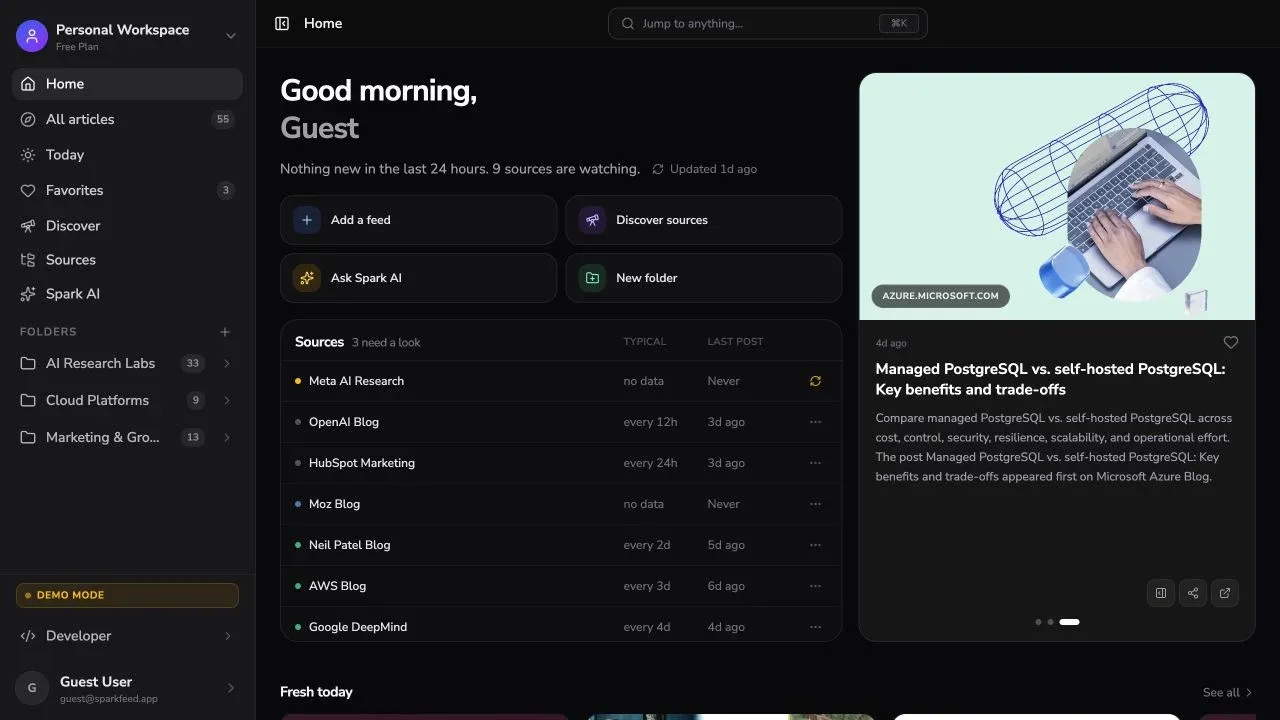
Sparkfeed workspace showing subscribed sources and recent articles
Reading context

Start with what
you follow.

Ask about your feeds, a folder, or one article.

Explore Sparkfeed

What are the main themes in my feeds this week?

Explore your feeds.

Your weekly reading brief.

Key updates, open questions, and sources to revisit.

  1. 01Key developments
  2. 02What deserves a closer look
  3. 03Sources to revisit
Useful documents

Keep the
useful part.

Turn your reading into a brief or comparison. Edit the document beside your conversation.

Reading briefsComparisonsVisual documents
Ask a follow-up

Read. Ask.
Look closer.

Catch up on your feeds.

Ask what changed this week across the sources you follow.

Scroll to explore

What's happening in my feeds this week?

Choose how Spark AI works.

Choose a model and decide how much Spark AI can do in your workspace.

Choose your model.

Choose a model for each conversation. Adjust reasoning where supported.

  • OpenAI
  • Anthropic
  • Google
  • DeepSeek
  • xAI

Control what it can change.

Read without making changes.

Ask about your reading. Spark AI cannot change your workspace in this mode.

FAQ

Questions about Spark AI

01What can I ask Spark AI?
Ask for a summary, compare articles, or explore a topic across your feeds. Start with a folder or an article when you want a more focused answer.
02Can I turn a conversation into a document?
Yes. Ask for a reading brief or comparison, then open the document beside your conversation to refine it.
03Can Spark AI change my workspace?
You choose the permission mode. Read only keeps workspace changes off. Ask first instructs Spark AI to confirm changes. Auto allows supported actions such as organizing feeds and marking articles read.
04Which AI models can I use?
The model picker shows the models available through your provider setup. You can choose a model for each conversation.
05Should I check the original articles?
Yes. AI can miss context or get details wrong. Use the original articles to check claims and read the full explanation.