 Sudharsan Ananth
Should you subscribe to RSS or Atom?
If a publisher offers both, subscribe to one feed. Use the endpoint your reader accepts and whose entries have the details you want. Many readers accept RSS and Atom, so compare their contents.
We checked WordPress News RSS and WordPress News Atom on November 23, 2026. Both returned the same three latest articles with matching titles, links, summaries, and HTML bodies.
| Situation | What to do |
|---|---|
| Your reader accepts either endpoint | Add one, then confirm recent articles appear |
| The publisher offers both with the same entries | Keep one subscription to avoid duplicates |
| One feed has more useful summaries or article content | Choose that endpoint |
| Your reader rejects one format | Try the publisher’s other endpoint or check the reader’s supported formats |
For a broader look at reader choices, see our open-source RSS reader comparison. To find feed URLs, use our website feed guide. For GitHub releases, see how to follow release feeds.
What did the WordPress News feed test show?
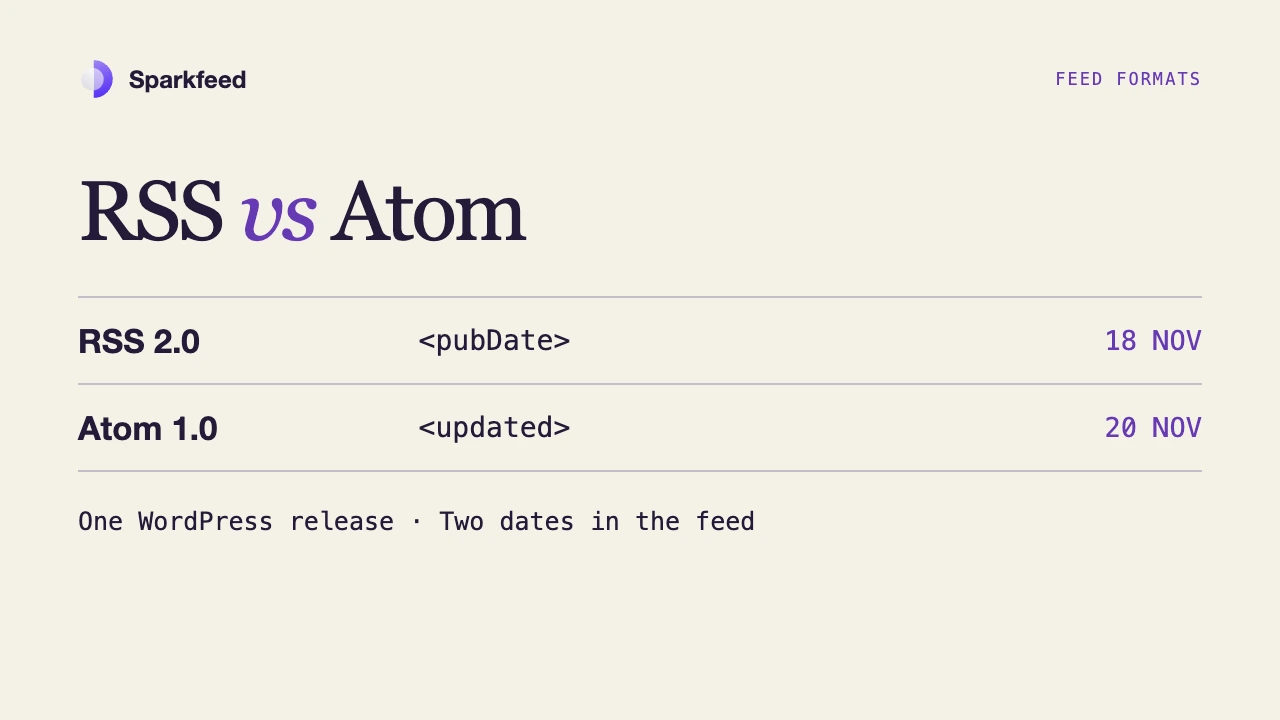
Both endpoints had the same three article records and matching identifiers. Atom exposed later update times for two posts.
| WordPress News entry | Published in both feeds (UTC) | Updated in Atom (UTC) |
|---|---|---|
| Global Partners Across the Third Quarter of the 2026 | Nov 20, 17:17 | Nov 20, 17:17 |
| WordPress Credits Boost Translation | Nov 20, 13:48 | Nov 20, 13:53 |
| WordPress 7.1.5 Release | Nov 18, 17:08 | Nov 20, 14:34 |
Titles, links, summaries, and HTML bodies matched. Only the first entry’s body had inline image markup. This records the feeds as checked on November 23, 2026.

What is the difference between RSS and Atom?
RSS 2.0 uses a <channel> with <item> elements. Atom uses a <feed> with <entry> elements. Both can carry titles, links, dates, summaries, and article content.
| Feed information | RSS 2.0 | Atom |
|---|---|---|
| Article record | <item> |
<entry> |
| Article title | <title> |
<title> |
| Article link | <link> |
The alternate link’s href attribute |
| Publication time | Optional <pubDate> |
Optional <published> |
| Last significant update | No standard RSS 2.0 item field | Required <updated> |
| Entry identifier | Optional <guid> |
Required <id> |
| Summary or body | Commonly <description> and sometimes content:encoded |
<summary> and/or <content> |
The RSS 2.0 specification leaves many item fields optional. Atom, RFC 4287, requires an ID, title, and update time for each entry.
These XML excerpts show the same WordPress News entry in each format.
<rss version="2.0">
  <channel>
    <title>WordPress News</title>
    <link>https://wordpress.org/news/</link>
    <description>The latest news about WordPress and the WordPress community</description>
    <item>
      <title>WordPress Credits Boost Translation</title>
      <link>https://wordpress.org/news/2026/11/wp-credits-boost-translation/</link>
      <guid>https://wordpress.org/news/?p=22026</guid>
      <pubDate>Fri, 20 Nov 2026 13:48:10 +0000</pubDate>
      <description>Contributors to the Costa Rican Spanish locale...</description>
    </item>
  </channel>
</rss><entry xmlns="http://www.w3.org/2005/Atom">
<id>https://wordpress.org/news/?p=22026</id>
<title>WordPress Credits Boost Translation</title>
<link rel="alternate" type="text/html"
href="https://wordpress.org/news/2026/11/wp-credits-boost-translation/" />
<published>2026-11-20T13:48:10Z</published>
<updated>2026-11-20T13:53:48Z</updated>
<summary>Contributors to the Costa Rican Spanish locale...</summary>
</entry>RSS uses a date such as Fri, 20 Nov 2026 13:48:10 +0000. Atom uses a timestamp such as 2026-11-20T13:53:48Z; published is the original time and updated can reflect a later edit.
Does the feed include the full article or images?
Neither format guarantees a full article or an image. Publishers decide whether entries contain a short description, HTML article content, or inline image markup.
The WordPress 7.1.5 Release entry had no inline <img> in either feed, but its lead graphic appeared in Sparkfeed Reader. It was not copied from the feed.
To copy an inline image in Sparkfeed’s Reader, hover over it or tab to the image controls. Select Copy image, then paste into a document that accepts images. We tried this in Chromium with a saved test article containing one of our own screenshots. The pasted image measured 511 × 297 pixels, the same size as the original.

If the browser blocks clipboard access, try Download image. If the publisher’s image host blocks the request, select Open original image. The publisher’s page is also where to find the image credit and usage terms.
Will subscribing to both feeds give me duplicates?
It can. A reader may accept the RSS and Atom addresses as separate subscriptions, even when their stories link to the same place. Compare the last few destination links before keeping both. In the WordPress News sample, either address would have delivered all three stories.
Sources and further reading
- RSS 2.0 Specification, RSS Advisory Board
- RFC 4287: The Atom Syndication Format, RFC Editor
- WordPress News RSS feed, checked November 23, 2026
- WordPress News Atom feed, checked November 23, 2026
Sparkable makes Sparkfeed. We checked the publisher feeds and tested the Reader on November 23, 2026.