



The best open-source RSS reader depends on where you want it to run. FreshRSS is the strongest general-purpose self-hosted web reader, Miniflux is the leanest server option, NetNewsWire is the best native choice for Apple devices, RSS Guard covers Windows and Linux desktops, and Feeder keeps everything local on Android. Nextcloud News, NewsBlur, and Sparkfeed fit more specialized server and team workflows.
That answer is more useful than declaring one universal winner. An RSS reader can be an always-on server, a desktop database, a phone app, or a client connected to a separate sync service. Those designs create different work for the operator and different privacy boundaries for the reader.
This guide compares eight projects by architecture, maintenance, portability, and fit. If your real question is how to replace a hosted account, use the separate privacy-first Feedly alternatives guide. If you already know you want a server and need deployment advice, start with the self-hosted feed-reader guide.
Which open-source RSS reader should you choose?
Choose FreshRSS for a flexible web reader that supports multiple people and third-party mobile clients. Choose Miniflux when you want fewer moving parts and do not mind an intentionally plain interface. Choose NetNewsWire or Feeder when one device ecosystem matters more than a central server.
| Reader | Where it runs | License | OPML | Best fit | Main tradeoff |
|---|---|---|---|---|---|
| FreshRSS | Self-hosted web server | AGPL-3.0 | Import and export | Flexible personal or multi-user hosting | More settings and server choices to maintain |
| Miniflux | Self-hosted or official hosted web app | Apache-2.0 | Import and export | A small, focused server reader | Deliberately sparse interface |
| Nextcloud News | App inside Nextcloud | AGPL-3.0 | Import and export | Existing Nextcloud operators | Tied to Nextcloud compatibility and upgrades |
| NewsBlur | Hosted service or self-hosted stack | MIT | Import and export | Filtering, social reading, and native apps | Self-hosting has several infrastructure services |
| NetNewsWire | macOS, iPhone, and iPad | MIT | Import and export | Native Apple reading | No Windows, Linux, or Android app |
| RSS Guard | Windows, macOS, Linux, BSD, and OS/2 desktop | GPL-3.0 | Import and export | Cross-platform desktop power users | Cross-device sync needs a compatible service |
| Feeder | Android device | GPL-3.0 | Import and export | Local, account-free Android reading | No usual remote-backend sync |
| Sparkfeed | Self-hosted web server or managed service | AGPL-3.0-only in current code | Import and export | Shared sources, watched pages, REST, and MCP | Public source release is still pending |
Open source does not automatically mean self-hosted. NetNewsWire and Feeder run on a device. FreshRSS and Miniflux run as services you operate. NewsBlur offers both hosted and self-hosted paths. The source license tells you what you may inspect and modify, but the deployment model tells you who sees requests, stores reading state, applies updates, and runs backups.
How we compared these readers
This comparison was researched from July 25 through August 31, 2026, then checked again on September 1. We reviewed each project’s official website, repository, license, installation documentation, release pages, OPML documentation, and published pricing where a hosted plan exists.
We used public demos and official screenshots to inspect representative interfaces. We did not install every project, test every mobile client, or buy every paid plan. Sparkable builds Sparkfeed, so its section has direct source access and an explicit ownership disclosure. It is not given a higher rank for that reason.
Each recommendation answers six practical questions:
- Is the license clear and does the published source cover the reader being described?
- Does it run on a device, an existing platform, or a server you must operate?
- What is the reader unusually good at?
- What maintenance or ecosystem dependency comes with it?
- Can subscriptions move in and out through OPML?
- Is a paid hosted option available, and what did the official pricing page list when checked?
We did not rank projects by GitHub stars. Stars do not show whether an application’s data model, sync behavior, or operating burden fits your use case.
1. FreshRSS is the best general-purpose self-hosted reader
FreshRSS is the safest default when you want a browser-based reader under your control without committing to one narrow workflow. It supports multiple users, tags, saved searches, extensions, command-line administration, and mobile clients through Google Reader and Fever-compatible APIs.
- Ideal user: A person, household, or small group that wants a mature web reader and is comfortable maintaining PHP and a database.
- Deployment and maintenance: Run it on Linux or Windows with a web server, PHP 8.1 or newer, and PostgreSQL, SQLite, MariaDB, or MySQL. Official installation documentation also covers Docker.
- License: GNU AGPL version 3.
- Standout workflows: Saved searches, extensions, WebSub updates, basic XPath web scraping, feed generation, and third-party mobile apps.
- Important limitations: The broad configuration surface is useful, but it creates more decisions than Miniflux. Native mobile reading depends on another app and API compatibility.
- Import and export: FreshRSS imports and exports OPML. It can also reshare selected articles as RSS, HTML, or OPML.
- Price: The software has no license fee. You pay for your server or choose a third-party host listed by the project.
FreshRSS is especially good when your reader may grow into a small service. You can begin with SQLite, move to another supported database, add users, and connect a native client later. Its web-scraping support can cover some pages without feeds, but XPath rules can break when a site changes its markup.
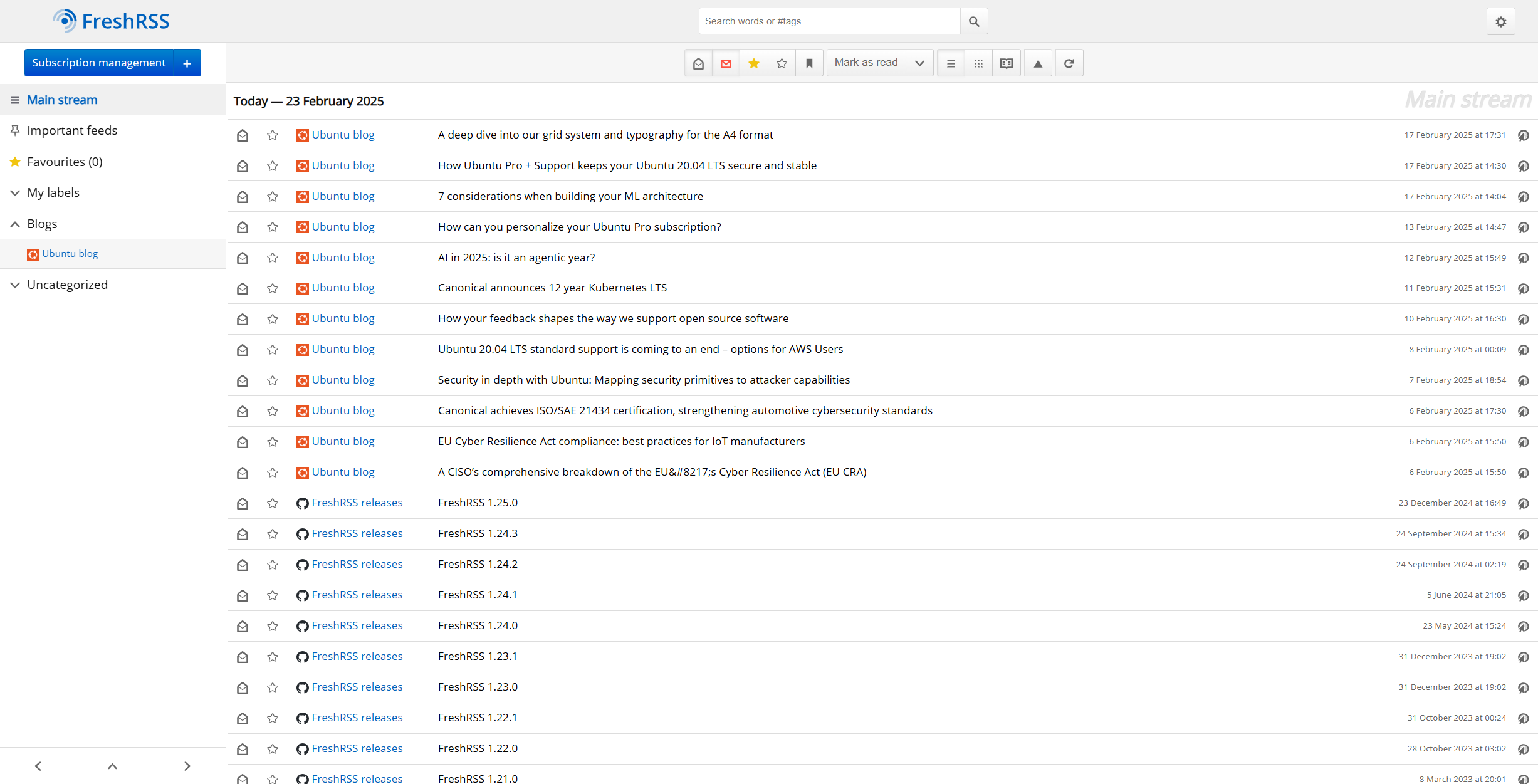
Read the FreshRSS repository, administrator installation guide, and release page before choosing a deployment image.
2. Miniflux is the best low-maintenance server reader
Miniflux is the better fit when you want a server reader that stays small and predictable. It is a Go application backed by PostgreSQL, ships official packages and container images, and keeps its interface deliberately focused.
- Ideal user: A self-hoster who values fast keyboard-driven reading and a small operational footprint over themes, social features, or a large extension catalog.
- Deployment and maintenance: Run one Miniflux application with PostgreSQL. Official builds include Debian and RPM packages, binaries, and multi-architecture container images.
- License: Apache License 2.0.
- Standout workflows: Full-text search, categories, bookmarks, feed rewrite and scraper rules, integrations with read-later services, and a documented REST API.
- Important limitations: PostgreSQL is required, and the visual design is intentionally plain. People who want dashboards, shared workspaces, or deep theming may find it too constrained.
- Import and export: Miniflux supports OPML file import and export, URL-list import, and command-line feed export.
- Price: Self-hosting has no license fee. Official Miniflux hosting was $15 per year with a 15-day trial when checked on September 1, 2026.
The official hosted service runs the same code as the open-source project. That makes Miniflux a useful test of whether you actually want to operate a server. Start hosted, export OPML, and move to your own instance later if the operational control becomes worthwhile.
Read the Miniflux feature list and source, installation documentation, and current releases.
3. Nextcloud News is the best choice inside an existing Nextcloud
Nextcloud News makes sense when Nextcloud is already your files, calendar, contacts, and identity layer. The News app adds RSS and Atom aggregation to that deployment and exposes a REST API for mobile and desktop clients.
- Ideal user: An existing Nextcloud operator who wants one account and one server environment for feeds alongside other personal-cloud tools.
- Deployment and maintenance: Install News from the integrated Nextcloud app store. You maintain both the Nextcloud server and a News version compatible with it.
- License: GNU AGPL version 3.
- Standout workflows: Background feed updates, Nextcloud authentication, sync through the News API, and companion clients.
- Important limitations: News is not a standalone application. Upgrades depend on the supported Nextcloud version, and the web interface is narrower than a dedicated research workspace.
- Import and export: OPML import and export are available for moving subscriptions. A Nextcloud database backup is still required to preserve complete application state.
- Price: The News app has no license fee. The real cost is the Nextcloud deployment or hosting plan you already operate.
This is a poor reason to deploy Nextcloud from scratch. It is a strong reason to use the server you already have. Check the Nextcloud App Store compatibility table, News repository, and installation guide before an upgrade.
4. NewsBlur is the best open-source reader with a polished hosted path
NewsBlur has the most developed bridge between a hosted consumer service and a self-hostable codebase in this group. Its distinguishing feature is training. You can like or dislike authors, tags, titles, and feeds, then use those signals to highlight or hide stories without handing ordering to an unexplained recommendation feed.
- Ideal user: A reader who wants native apps, filtering, sharing, and hosted convenience, with source access and a self-host path available.
- Deployment and maintenance: The hosted service needs no server work. Self-hosting uses Docker Compose and a larger stack that includes PostgreSQL, MongoDB, Redis, Celery workers, Node services, and optional Elasticsearch.
- License: MIT License.
- Standout workflows: Intelligence training, original-site and text views, shared stories, saved searches, native mobile apps, web feeds, story archives, and MCP on eligible plans.
- Important limitations: The self-hosted stack is much heavier than FreshRSS or Miniflux. Hosted capabilities and retention depend on the selected plan.
- Import and export: NewsBlur supports OPML import and export through its feed-import system.
- Price: The official pricing page listed Free for up to 64 sites, Premium at $36 per year, Premium Archive at $99 per year, and Premium Pro at $29 per month on September 1, 2026. Self-hosting has no license fee.
NewsBlur is the right comparison when “open source” is a trust and exit requirement but “self-host immediately” is not. Its hosted plan can remove operations today, while the repository preserves a route to running the software yourself. That route is real, but it is not a small single-container deployment.
See the NewsBlur repository and self-hosting instructions for the current service list and configuration.
5. NetNewsWire is the best native reader for Apple devices
NetNewsWire is the cleanest choice for someone whose reading happens on a Mac, iPhone, and iPad. It downloads feeds directly or syncs through iCloud and services including FreshRSS, Feedbin, Inoreader, NewsBlur, and The Old Reader.
- Ideal user: An Apple-only reader who wants a fast native app rather than a browser tab or another server.
- Deployment and maintenance: Install the macOS and iOS apps. There is no application server to patch when you use direct feeds or iCloud.
- License: MIT License.
- Standout workflows: Reader view, Safari feed discovery, keyboard navigation, smart feeds, multiple accounts, iCloud sync, and connections to several feed services.
- Important limitations: It is limited to Apple’s platforms. Sync behavior and data location depend on whether you choose iCloud or a third-party feed service.
- Import and export: NetNewsWire imports and exports OPML feed lists.
- Price: Free.
The useful architecture here is “native client plus optional sync,” not self-hosting. Pairing NetNewsWire with FreshRSS gives you a server that fetches and stores feeds plus a native Apple interface. Using NetNewsWire alone avoids the server but leaves reading state tied to one device unless you enable a sync account.
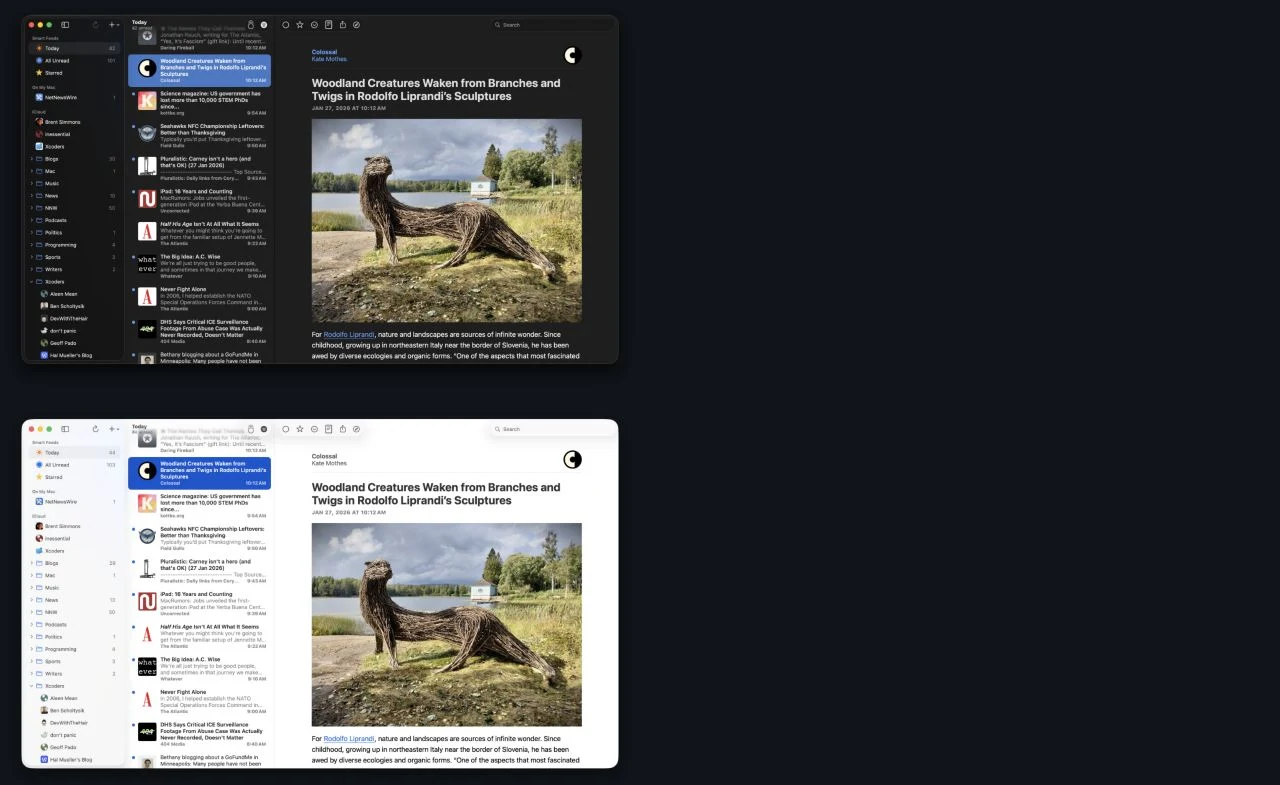
Review the NetNewsWire features and source repository for supported operating-system versions and current sync providers.
6. RSS Guard is the best cross-platform desktop power tool
RSS Guard is the strongest desktop option when you need Windows or Linux support and want more control than a minimal native reader provides. It handles RSS, Atom, JSON Feed, iCalendar, and Sitemap sources, and it can connect to several hosted and self-hosted feed services.
- Ideal user: A desktop power user who wants one local application for feeds, podcasts, filters, and multiple sync accounts.
- Deployment and maintenance: Install a desktop package on Windows, macOS, Linux, BSD, or OS/2. Releases offer different viewer builds, including lighter text and fuller web-engine variants.
- License: GNU GPL version 3.
- Standout workflows: Podcast playback, visual article-filter rules, multiple feed formats, local databases, and connections to FreshRSS, Miniflux, Nextcloud News, Tiny Tiny RSS, and other services.
- Important limitations: Its large settings surface takes time to learn. A local account does not create cross-device sync, and the web-engine packages use more space than text-viewer builds.
- Import and export: RSS Guard imports OPML through the selected account and supports feed-list export and application backups.
- Price: Free.
RSS Guard also makes a good client for a server reader. That pairing separates collection and sync from the desktop interface. Check the RSS Guard repository and release assets carefully so you choose the intended viewer and operating-system package.
7. Feeder is the best local Android reader
Feeder is a focused Android app that stores subscriptions and reading data on the device. It does not require account registration and does not sync with the usual remote feed-reader backends.
- Ideal user: An Android reader who wants offline reading, notifications, and no account or server.
- Deployment and maintenance: Install it from F-Droid, Google Play, or signed GitHub release packages. Updates are normal mobile-app updates rather than server maintenance.
- License: GNU GPL version 3.
- Standout workflows: Offline reading, notifications, local storage, Material Design, tracking-parameter stripping, and optional per-feed enrichment.
- Important limitations: It is Android-only, and its local-first design does not synchronize unread state through common feed-reader services. Device loss or replacement makes exports and backups important.
- Import and export: Feeder imports and exports OPML, including some Feeder-specific settings in newer exports.
- Price: Free.
Feeder is an honest example of local-first software. There is no server bill and no server to patch. The tradeoff is equally direct. Your phone becomes the collection, reading, and backup boundary.
Use the Feeder repository, F-Droid listing, and release page to verify the current package and signing details.
8. Sparkfeed is the upcoming option for shared sources and agent access
Sparkfeed combines a feed reader with website monitoring, shared workspaces, REST, and MCP. It fits teams that want to curate public sources once, read them together, and let applications or AI clients query the same stored collection.
Sparkable builds Sparkfeed and publishes this article. Treat this section as an informed vendor description, not an independent review.
- Ideal user: A small team or technical reader that wants RSS, Atom, supported pages without feeds, shared folders, searchable articles, and API or agent access in one deployment.
- Deployment and maintenance: Community Edition runs as a web application with PostgreSQL, email configuration, TLS, upgrades, migrations, and backups owned by the operator. Demo mode is separate and disposable.
- License: The current application code and hosted-service terms specify AGPL-3.0-only. Sparkfeed is not intended to be open-core. Community Edition contains the end-user product, while Sparkable sells managed hosting, operations, AI credits, support, and dedicated deployments.
- Standout workflows: Watched pages without native feeds, shared workspaces, public feed or folder links, Spark AI over workspace data, workspace-scoped API keys, REST, and an MCP server.
- Important limitations: Sparkfeed is preparing for its first public beta. The advertised GitHub repository returned 404 when checked on September 1, 2026, so outside readers cannot yet audit or install the source. Interfaces can change before 1.0, and Community Edition supports at most ten registered people per deployment. It is newer and less battle-tested than FreshRSS, Miniflux, or NewsBlur.
- Import and export: Community Edition supports bulk URL or OPML input and OPML export. A PostgreSQL backup is required for complete state, including users, articles, reading state, shares, keys, and saved chats.
- Price: Community Edition has no license fee. The operator pays infrastructure, email, and any configured AI provider. Managed-service pricing is separate from the open-source product.
Spark AI is optional in Community Edition and uses provider configuration supplied by the operator. Cloud plans can use Sparkable-managed credits instead. This distinction matters because “bring your own key” is not one universal Sparkfeed hosting rule.
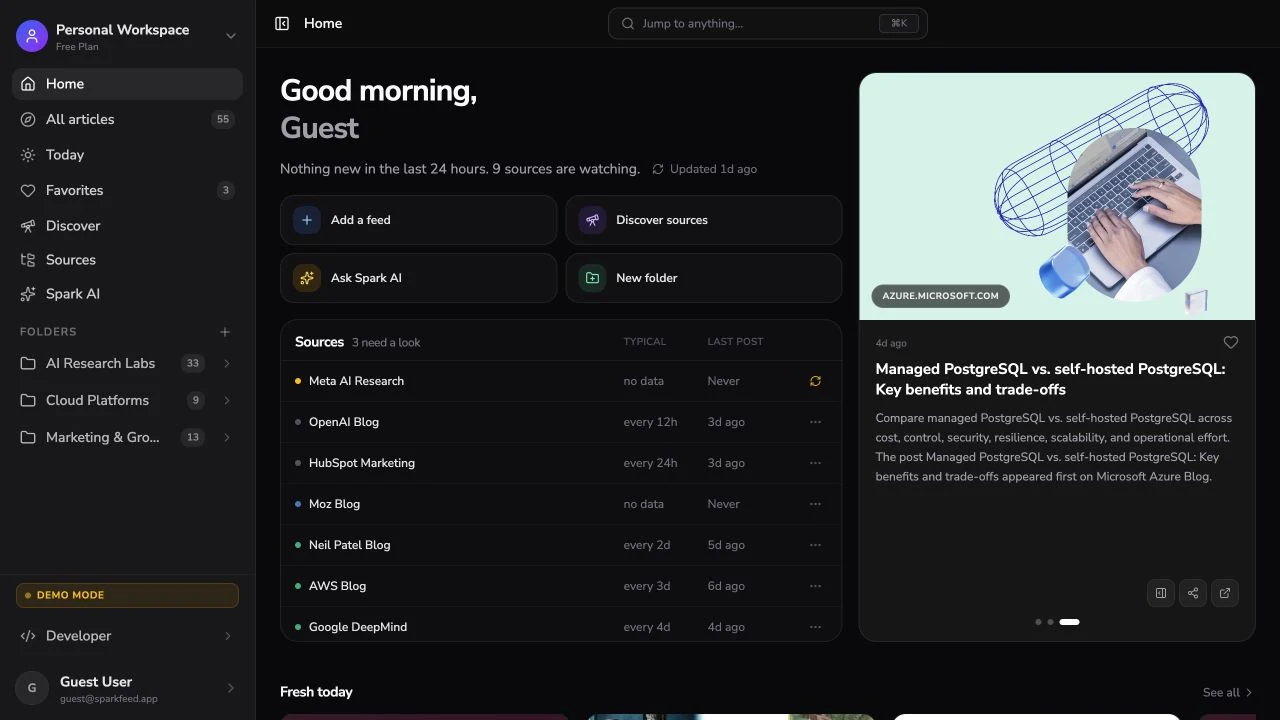
Read the Sparkfeed documentation, hosted-service terms, and export and backup guide. The open-source MCP guide explains how scoped keys expose a curated source collection to an AI client. The RSS, REST, and MCP comparison covers when each interface is the right one.
How should deployment and maintenance affect the decision?
Pick the operating model before comparing features. A reader you do not update or back up is a worse choice than a simpler reader you can maintain.
A local app has the smallest operating burden
NetNewsWire, RSS Guard, and Feeder update like other device applications. They can fetch feeds directly and keep the database close to the user. This avoids an internet-facing server, but it can make cross-device state and centralized backup harder.
Ask where unread state, stars, and credentials live. NetNewsWire can use iCloud or a feed service. RSS Guard can connect to compatible backends. Feeder intentionally avoids the usual remote-backend sync.
An always-on server creates a shared source of truth
FreshRSS, Miniflux, NewsBlur, and Sparkfeed fetch feeds even when your laptop is closed. They make browser access and multi-device clients easier. They also create an application, database, scheduler, TLS endpoint, backup plan, and upgrade process that someone must own.
For a personal installation, write down four things before deploying:
- Who applies security updates and how quickly?
- Which database and uploaded files need backups?
- How will you restore the service on a clean machine?
- Which mobile app or browser will you use when away from the server?
For a team, add identity, invitations, offboarding, retention, logs, and the limit on registered people or seats.
An app inside another platform inherits that platform’s lifecycle
Nextcloud News reduces the number of separate services when Nextcloud already exists. It does not remove maintenance. The app and server versions must remain compatible, and a Nextcloud outage becomes a feed-reader outage too.
This can still be the lowest-cost design. Shared infrastructure is efficient when the operator already understands it.
What does OPML move, and what does it leave behind?
OPML usually moves feed URLs, titles, and folder structure. It normally does not preserve article bodies, full search indexes, unread state, favorites, tags, filters, saved searches, user accounts, API keys, or AI conversations.
That makes OPML an exit path, not a complete backup. Export it before a migration, then keep the database backup until you have checked feed counts and folder placement in the new reader.
The step-by-step guide to turning websites into feeds and moving subscriptions with OPML includes a small file example and a migration checklist.
A practical decision path
Use this order if the comparison still feels too broad:
- Choose the data location. One device, a server you control, an existing Nextcloud, or a hosted account.
- Choose the sync model. No sync, iCloud, a reader API, or a central web application.
- Check the operating work. Database, backups, TLS, email, updates, and monitoring.
- Test portability. Import a copy of your OPML and export it again before moving your real collection.
- Test the daily workflow. Add ten real feeds, read for a week, and note what slows you down.
- Add specialist features last. Website monitoring, scraping, AI, social sharing, REST, and MCP matter only when the core reading loop works.
For most self-hosters, the shortlist is FreshRSS versus Miniflux. For an Apple-only reader, try NetNewsWire before deploying anything. For Android without a server, use Feeder. Revisit Sparkfeed after its public source release when shared source research, pages without feeds, or programmatic access is the reason you are building the system.
Sources and further reading
- FreshRSS official website, source, and administrator documentation
- Miniflux source and feature list, documentation, and official hosting
- Nextcloud News App Store listing, source, and installation guide
- NewsBlur source and self-hosting guide and hosted pricing
- NetNewsWire features, source, and release page
- RSS Guard source and release page
- Feeder source, F-Droid package, and releases
- Sparkfeed documentation, hosted-service terms, and backup guidance
- RSS 2.0 specification and Atom RFC 4287
Frequently Asked Questions
What is the best open-source RSS reader?
FreshRSS is the best general-purpose open-source RSS reader for most self-hosters because it balances a mature web interface, multi-user support, extensions, mobile-client APIs, and several database choices. Miniflux is better when low maintenance and a focused interface matter more than flexibility.
What is the difference between open source and self-hosted?
Open source describes access to and rights around the source code. Self-hosted describes who operates the running service. NetNewsWire is open source but runs as an Apple app, while the official Miniflux service is hosted by its developer but runs the same open-source code you can install yourself.
Is FreshRSS better than Miniflux?
FreshRSS is better for multiple database choices, extensions, theming, web scraping, and a broader administration surface. Miniflux is better for a small Go application, PostgreSQL-backed search, fast keyboard reading, and fewer configuration decisions.
Can open-source RSS readers sync across devices?
Yes, but the sync method varies. A self-hosted web reader creates a central account, some desktop apps connect to reader APIs, and NetNewsWire can use iCloud or supported services. Feeder keeps data local and does not sync with the usual remote feed-reader backends.
Does OPML preserve unread articles and favorites?
Usually not. OPML is mainly a subscription list with folders. Keep the old reader or a full database backup until you have confirmed whether unread state, favorites, tags, filters, and saved searches can move through another export path.
Which open-source RSS reader is best for a team?
FreshRSS supports multiple users and works well for shared infrastructure where each person has a separate reading account. Sparkfeed is designed for shared source workspaces, public folder or feed links, REST, and MCP, but its public source release is still pending and Community Edition is limited to ten registered people per deployment.
Can I run an open-source RSS reader with Docker?
Yes. FreshRSS, Miniflux, NewsBlur, and Sparkfeed publish or document container-based deployment paths. Docker packages the application, but it does not replace database backups, TLS, email configuration, security updates, or a tested restore process.
