Try Demo Mode
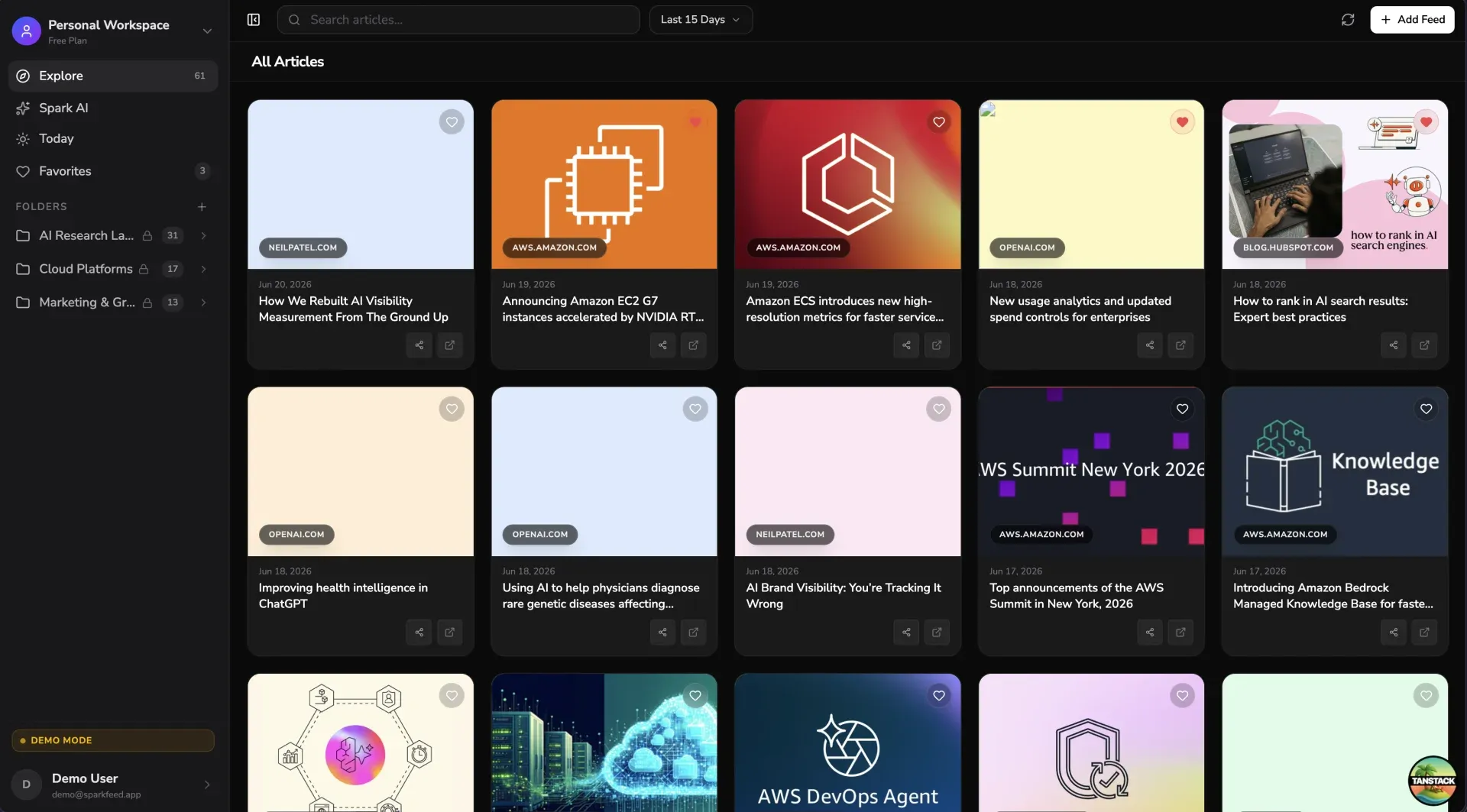
Demo mode lets you explore SparkFeed immediately: no account, no database migration, no API keys. A single environment variable is all you need.
Quick start
Section titled “Quick start”-
Clone and install
git clone https://github.com/Sparkable-dev/sparkfeed.gitcd sparkfeedbun install -
Enable demo mode
echo "VITE_DEMO_MODE=true" > .env.local -
Start the server
bun run devOpen http://localhost:3000. You land straight in the app, with no sign-up prompt.
That’s it. No db:push, no email credentials, no AI key.
What’s pre-loaded
Section titled “What’s pre-loaded”Demo mode seeds three folders with nine curated RSS feeds on first boot:
| Folder | Feeds |
|---|---|
| AI Research Labs | OpenAI Blog, Google DeepMind, Microsoft Research, Meta AI Research |
| Cloud Platforms | AWS Blog, Azure Blog |
| Marketing & Growth | HubSpot Marketing, Neil Patel Blog, Moz Blog |
Three articles (one per folder) are pre-marked as favorites so the Favorites page is populated from the start.
How it works under the hood
Section titled “How it works under the hood”- Isolated database: Demo mode writes to
rss-demo.db, a completely separate file from your development database (rss.db). Toggling the flag never touches your real data. - Auto-migration: The demo database schema is created automatically on first request. You never need to run
bun run db:push. - Idempotent seeding: Fixed primary-key IDs and
ON CONFLICT DO NOTHINGinserts mean restarting the server never creates duplicate folders or feeds. - No real auth: The
_protectedroute bypassesgetSession()entirely and returns a synthetic demo session. Auth pages (/login,/signup, etc.) redirect to/.
What’s locked in demo mode
Section titled “What’s locked in demo mode”Demo mode is intentionally read-only for structural changes. Attempting locked actions shows a clear toast or panel rather than an error.
| Feature | Demo behaviour |
|---|---|
| Add / edit / delete feeds | Toast: feature locked |
| Add / rename / delete folders | Toast: feature locked |
| Spark AI chat | Locked panel with sign-up prompt |
| Settings mutations (save profile, delete account, etc.) | Amber banner + buttons disabled |
| Create workspace | Toast: feature locked |
| Sign out | Toast: no account in demo mode |
Auth pages (/login, /signup, …) | Redirect to / |
| Browse articles, favorites, today view | Fully functional |
| Mark favorites / bookmarks / read-later | Fully functional |
| Refresh feeds | Fully functional |
Resetting demo data
Section titled “Resetting demo data”To wipe and reseed the demo database:
rm rss-demo.db# restart the dev server; it auto-migrates and reseeds on next requestbun run dev